Showing posts with label peppie. Show all posts

Friday, November 20, 2009

Google Translate Updated

Did you notice that Google updated it's translation service? It's now translating while you type.


Pretty cool.

Blu is the new Red

Last week we bought a new BluRay player, the LG BD390, one of the main reasons for this player is its network capabilities; wired and wireless.

Installation of the player was a piece of cake, connecting to a linux server took some configuration (on the linux backend) but that will be discussed in a future article.

For now we can stream movie content directly into the livingroom without a hassle, play BluRay movies out of the box and watch youtube content directly.

Life is Good.

Tuesday, January 08, 2008

Search Linked Pages with Google Custom Search On-the-Fly

Peppie: you know we love google don't you? Here is another great example of how you can use Google
for setting up a custom Google search engine for selected sites. Enter the URL of a page with lots of related links you'd like to search (like moosy.blogspot.com) and a search term into the Custom Search Engine On-the-fly page. You'll get results from both the linking page, and the pages it links.
Here's a search for Peppie on all the sites with Moosy links.

Cisco vpn client 4.8 running on openSUSE 10.3

Peppie: here are some notes on how to install, configure and run the Cisco vpn client 4.8 on openSUSE 10.3.

First make sure that you are running kernel 2.6.22.13-0.3. Earlier versions of the kernel gave us problems during compile. Check your kernel version with:

# uname -r

Download version 4.8 of the client. You can download it from here: http://helpdesk.ugent.be/vpn/download/vpnclient-linux-x86_64-4.8.00.0490-k9.tar.gz. Earlier and later versions gave us problems and were not working. Our advice is to stick to version 4.8 for now.

Extract the downloaded file.

Download a patch for this client.

# wget http://tuxx-home.at/projects/cisco-vpnclient/vpnclient-linux-2.6.22.diff

Apply the patch:

# cd vpnclient
# patch -i ../vpnclient-linux-2.6.22.diff


Install the client:

# sudo ./vpn_install


Start the vpn service:

# sudo /etc/init.d/vpnclient_init start

Now you should be able to start the vpn service by:

# vpnclient connect yourPCFfile

Thursday, January 03, 2008

Synchronization solution for GNOME

Peppie: Today we were searching for a synchronization solution for our machines and we stumbled upon Conduit. Conduit is a synchronization solution for GNOME which allows the user to take their emails, files, bookmarks, and any other type of personal information and synchronize that data with another computer, an online service, or even another electronic device.

* Synchronize your tomboy notes to a file on a remote computer
* Synchronize your emails to your mobile phone
* Synchronize your bookmarks to delicious, gmail, or even your own webserver
* and many more...

Any combination you can imagine, Conduit will take care of the conversion and synchronization.

It sounds a bit like a Tell Sell advertisement, to good to be true,.. Therefore we will test it out in our lab and let you know our opinion. The screenshots are promising:


Conduit in action:


One-click installer:

Monday, December 17, 2007

It's been a long time

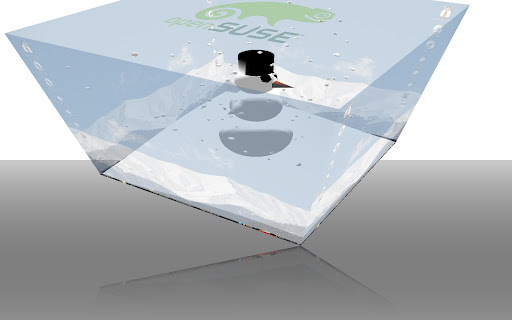
Peppie: It's been a long time but we're back with some eyecandy goodies for you. CyberOrg has updated his repository with the latest Compiz stuff. There are some great new plugins especially for this time around, have a look at:

"Frosty the snowman,.."

The one-click -installer.

The new plugins in action:

Tuesday, November 06, 2007

How to get your € and special characters on linux

Peppie: Its nice to have a button on your keyboard displaying the € sign, but how can you access it on linux? How can you set special characters like áéø etcetera? We figured it out with some help from our friend Professor Happy and here is how to do it:

- Open your control center, go to keyboad and access the keyboard preferences. Set them according to our screenshot and + "5" will give you a € and right ALT will allow you to set the special characters.

Thursday, October 25, 2007

Codecs for your openSUSE 10.3

Peppie: my man the Moose gave me a good link this morning that I wanted to share with you. It is a pointer to the opensuse community page for multimedia.

Support for some multimedia formats cannot be included on the openSUSE CDs because they're proprietary, patented, Restricted Formats. Some of these include MP3, MPEG-4, playing of Encrypted DVDs, etc. In many cases you can use free formats instead. The website has one-click install for

KDE
http://opensuse-community.org/codecs-kde.ymp

GNOME
http://opensuse-community.org/codecs-gnome.ymp

Wednesday, October 24, 2007

openSUSE 10.3 repositories

Peppie: we've done some research for the finest repositories specifically for openSUSE 10.3, most of them can be found at the openSUSE page, but here are the ones that I recommend myself:

Packman - http://packman.iu-bremen.de/suse/10.3/
Guru - http://dev-loki.blogspot.com/2007/09/moving-to-packman.html

OpenOffice -
http://download.opensuse.org/repositories/OpenOffice.org:/STABLE/openSUSE_10.3/
http://download.opensuse.org/repositories/OpenOffice.org:/EXTRAS/openSUSE_10.3/

Compiz -
http://download.opensuse.org/repositories/X11:/XGL/openSUSE_10.3/

Mozilla stuff -
http://download.opensuse.org/repositories/mozilla/openSUSE_10.3/

Multimedia stuff -
http://download.opensuse.org/repositories/multimedia:/photo/openSUSE_10.3/
http://download.opensuse.org/repositories/multimedia:/audio/openSUSE_10.3/

Stitching photographs together

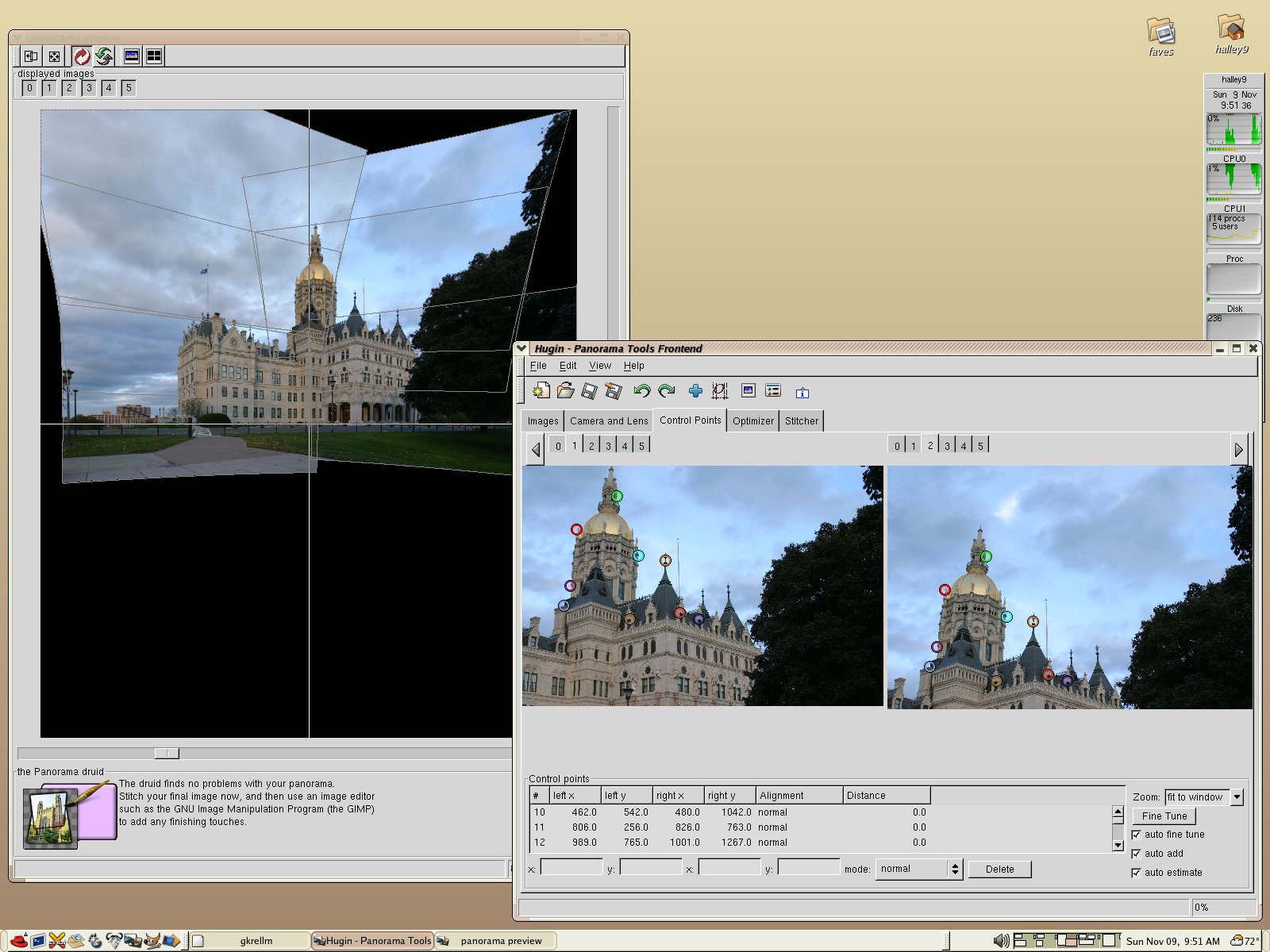
Peppie: dr. Grimm pointed us to hugin a panorama photo stitcher that can run on Linux and other operating systems like Mac OSX, freeBSD and that other one ;-).

A screenshot of hugin in action:


It can be installed from the repository or other sources, enjoy stitching your photograps.

My openSUSE 10.3 is hibernating

Peppie: openSUSE 10.3 has a cool feature for us Gnome users, called hibernate. I'm using this quite frequently now without any problems. It quickly shuts the machine down and booting is even faster then normal. See the screenshot:

Monday, October 22, 2007

Compiz Fusion 0.6.0 is released!

Peppie: Compiz Fusion 0.6.0 has been released, check the BLOG for details and some nice screenshots.

This freewins plugin is awesome, but where to get it?

Peppie: there is a video on the web with a nice neat plugin called freewins. See it in action and judge the coolness for yourself:


The compiz fusion BLOG has reported information on how to get it.

Wednesday, October 17, 2007

0.1 + 0.1 = ?

Peppie: as the dude abides mentions on his Blog AWN 2.0 has been released. Loads of improvements, some of them:

# Icon effects
# AWN Manager
# Applets

Watch the video for all the effects in action: http://video.google.com/videoplay?docid=5963113639256134658

Its cool, its candy, its cool eyecandy. And it can be downloaded here or from a repository

See it for yourself, a detailed video of awn 0.2 and an overview.


Tuesday, October 16, 2007

Java apps on openSUSE 10.3

Peppie: this weekend we migrated our machine to openSUSE 10.3, at first hand everything was working alright, that was until we started some java based apps, most of them were working fine (mostly the ones that are prepackaged with OS10.3) but my additional applications were failing with a bug buddy error.

Some research gave us the following document: https://bugzilla.novell.com/show_bug.cgi?id=331618, using > sudo zypper rm bug-buddy as mentioned in this document fixed the biggest issue I've had (crashing eclipse during startup).

Monday, September 17, 2007

6th Gen iPods won't work with Linux, Winamp

Peppie: thats right, according to sources on the internet the new 6th gen iPod wont work on your linux or with other software then iTunes.

Read the following article for more news about this. This sucks.

Wednesday, September 12, 2007

Running Compiz Fusion on openSUSE 10.3, its possible!

Peppie: today we received a confirmation from Dr. Grimm that he is running Compiz Fusion on openSUSE 10.3! Comments from Dr. Grimm:

- One click install is very cool and hip! Used it for Compiz Fusion and it's working flawless.
- Pidgin (2.1.0 does not appear in the notification area.
- Azureus does not start.
- Fusion icon isn't working, had to configure by running the Compiz settings manager.
- Had to use the latest Nvidia driver (1.0-9639)

And now the cool part, 2 sreenshots:

The new package manager


New Compiz Fusion running on openSUSE 10.3:

Thursday, September 06, 2007

Microsoft to showcase advanced media platform technologies at IBC2007

Peppie: in an earlier post we mentioned Silverlight / Moonlight (windows version vs linux). Today we discovered that Microsoft will demonstrate Silverlight at the IBC2007 in Amsterdam. The entire article for this can be found at the following link. Please drop a comment if you attended IBC2007 and have seen Silverlight in action.

IBM and Novell push out new SLED

Peppie: hot news!

IBM and Novell have announced an integrated open collaboration client for SUSE Linux Enterprise Desktop that includes IBM Lotus Notes, IBM Lotus Sametime and IBM productivity tools to deliver advanced email and calendar capabilities, unified communication & collaboration and lightweight yet powerful word processing, spreadsheet, and presentation capabilities with OpenDocument Format support.

The client is built on the Eclipse open framework, which makes it capable of supporting business-ready social networking, team collaboration and portal technologies such as IBM Lotus Connections, IBM Lotus Quickr and IBM WebSphere Portal, all of which can easily be added to the user's desktop. In addition, the server components required to support the open collaboration client are also available as one-click install solutions and include IBM Lotus Domino and Lotus Sametime servers powered by SUSE Linux Enterprise Server 10.

For the complete article follow this link.

see this puppy in action on sled
video Lotus Notes 8 on SLED10

Help! My Compiz Fusion settings are greyed out!

Peppie: dr. Grimm asked us why he could not change his Compiz Fusion settings anymore after he upgraded to the latest version, the settings were greyed out.

We from Moosy already discovered this nifty Compiz Fusion setting called: "Automatic Plugin Sorting", it can be found under "Preferences" in the plugin list section. Turn it on and you can select your plugins, turn it off and you need to select and enable the plugins in that section. Screenshot of this setting: